Microphone Alternatives
Not everyone has a microphone at hand. Or maybe your microphone is broken. What can you do then? Luckily, there are many microphone alternatives. These options can help you record your voice or talk online. Some are simple, others a bit more advanced. Let’s explore these alternatives together.
Why Look for Microphone Alternatives?
Microphones can be expensive. Also, sometimes they do not work well. Some computers or phones do not have good microphones. Maybe you want to try something new or different. That is why alternatives are useful. They help you get good sound without a normal microphone.
1. Use Your Phone as a Microphone
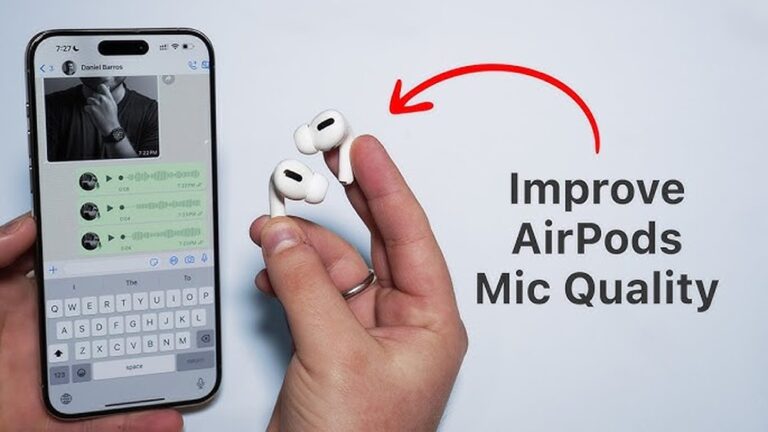
Most phones have a built-in microphone. You can use it for calls or recording. But did you know you can also use your phone as a microphone for your computer? It is easy. You need a special app and a cable or Wi-Fi.
- Download a microphone app on your phone.
- Connect your phone to your computer.
- Use the app to send your voice to the computer.
This method is cheap and simple. It works well for meetings or online classes.

Credit: www.reddit.com
2. Headphones with Built-in Microphones
Many headphones have a small microphone inside. This is common in earphones for phones. You can use these headphones for calls or voice chats. They are easy to use and move with you.
These have some advantages:
- They reduce outside noise.
- They are light and small.
- They work well for most online calls.
If you already have headphones, try using their mic. It might be good enough for you.
3. Use the Built-in Microphone on Your Device
Many laptops, tablets, and phones have built-in microphones. These microphones are inside the device. You do not need extra parts. They are good for quick talks or short recordings.
But built-in mics can pick up noise from your room. Try to be in a quiet place when using them.

Credit: www.youtube.com
4. Use a Webcam with a Microphone
Some webcams have microphones inside. If you have one, you can use it for voice too. This is good if your device mic is weak or broken. Webcams connect by USB and are easy to set up.
They usually give better sound than built-in mics.
5. Use a Recorder Device or Voice Recorder App
If you want to record your voice, use a voice recorder. Many phones have voice recorder apps. You can record and then send the file to your computer. This is useful if you do not need to talk live.
Also, small digital recorders can work as microphones. You record your voice, then move the file to your computer.
6. Use a USB Audio Interface with Other Sound Devices
For better sound, you can use a USB audio interface. This device connects instruments or other audio devices to your computer. You can connect a musical instrument or a small microphone this way.
This is for people who want better sound but do not have a microphone. It costs more but gives clear sound.
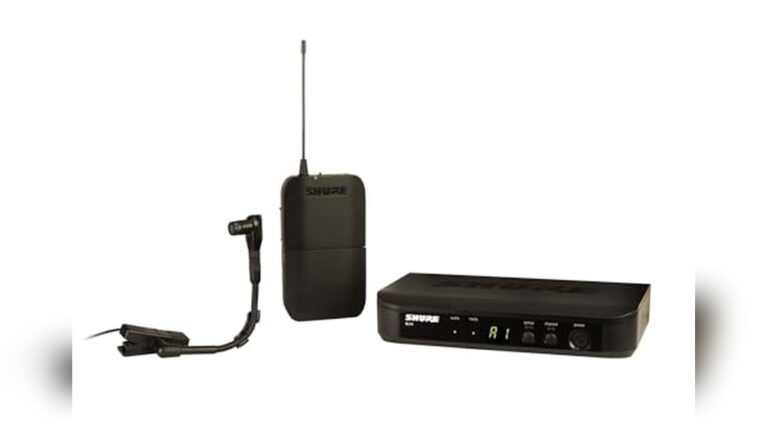
7. Use a Lavalier Clip-on Microphone Alternative
Lavalier microphones are small and clip on your clothes. If you do not have one, try a similar small microphone from other devices. Sometimes, old headphones or small gadgets have small mics you can use.
This helps if you want to record hands-free.
8. Use a Speakerphone or Conference Phone
Speakerphones or conference phones are made for group talks. They have good microphones built in. If you have one, connect it to your computer for calls or recordings.
These devices pick up voices from all directions. They are useful for meetings with many people.
9. Use a Camera with a Microphone
Many digital cameras and camcorders have microphones. You can use them to record sound. Then, transfer the audio to your computer. This works well for videos or voice recordings.
The sound is often better than built-in device microphones.
10. Use a DIY Microphone
If you like to try new things, you can make a simple microphone at home. You need some parts like a speaker or a piezo element. These parts pick up sound and send it to your device.
This is a fun project but may not have very good sound quality.
Comparison Table of Microphone Alternatives
| Alternative | Ease of Use | Sound Quality | Cost | Best For |
|---|---|---|---|---|
| Phone as Microphone | Easy | Good | Low | Online calls, meetings |
| Headphones with Mic | Very Easy | Good | Low (if you have headphones) | Calls, voice chat |
| Built-in Device Mic | Very Easy | Average | Free | Quick talks, short recordings |
| Webcam with Mic | Easy | Good | Medium | Video calls |
| Voice Recorder App | Easy | Good | Free | Voice recordings |
| USB Audio Interface | Medium | Very Good | High | Music, professional sound |
| Lavalier Mic Alternative | Medium | Good | Medium | Hands-free recording |
| Speakerphone | Easy | Good | Medium | Group calls |
| Camera Mic | Medium | Good | Medium | Video recording |
| DIY Microphone | Hard | Poor to Average | Low | Fun projects, learning |
Tips to Get Better Sound Without a Microphone
- Find a quiet room to reduce noise.
- Speak close to the device or mic.
- Use soft materials like pillows to stop echoes.
- Turn off fans or air conditioners.
- Test your sound before important calls or recordings.
Frequently Asked Questions
What Are Common Alternatives To A Traditional Microphone?
Smartphone mics, headset mics, and built-in laptop mics serve as easy alternatives.
Can Headphones Replace A Microphone For Recording?
Yes, many headphones have built-in microphones suitable for casual recording and calls.
Is A Smartphone A Good Microphone Alternative?
Smartphones have decent microphones for voice recording and video chats.
How Does A Webcam Mic Compare To A Microphone?
Webcam mics capture sound but usually have lower quality than dedicated microphones.
Conclusion
You do not always need a traditional microphone. Many devices can help you record or talk. Phones, headphones, webcams, and recorders all work well. Choose what fits your need and budget. Try to create a quiet place for better sound. With these alternatives, you can have clear voice without buying a special mic.
Remember, good sound helps others hear you better. So, use these microphone alternatives to communicate clearly and confidently.