What Happens If a Microphone Gets Wet?
Microphones are tools that help us record or send sounds. Many people use microphones every day. But what happens if a microphone gets wet? Water and electronics do not mix well. This article explains what can happen to a microphone when it gets wet. We will also share some tips on what to do if your microphone gets wet.

Credit: en.wikipedia.org
Why Does Water Harm a Microphone?
Microphones have tiny parts inside. These parts help catch sound and change it into electrical signals. Water can damage these small parts. Water can cause short circuits inside the microphone. A short circuit means electricity flows where it should not. This can break the microphone or make it stop working.
Also, water can cause rust. Rust happens when metal meets water and air. Rust can ruin metal parts inside the microphone. If rust forms, the microphone may stop working after some time.
Types of Microphones and Water Damage
There are many types of microphones. Some are more likely to get damaged by water than others.
- Dynamic microphones: These are strong and can handle a bit of water. But too much water can still damage them.
- Condenser microphones: These are more sensitive. Water can easily hurt their inside parts.
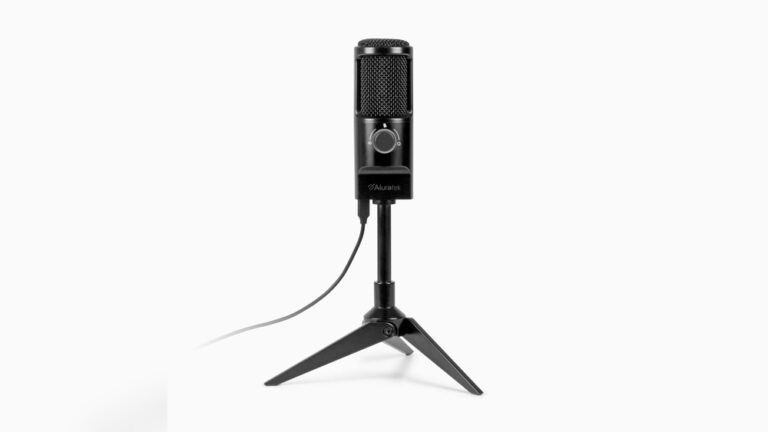
- USB microphones: These have electronic parts inside. Water can cause serious damage quickly.
- Wireless microphones: They have batteries and small electronics. Water can ruin these parts fast.
What Happens Right After a Microphone Gets Wet?
If water touches a microphone, it may stop working. Sometimes it works for a while but then breaks. Water can make strange sounds or no sound at all. The microphone might have a buzzing or crackling noise. This happens because water causes electrical problems inside.
In some cases, water can cause a short circuit. This can make the microphone stop working immediately. If the microphone has batteries, water can also damage the battery or cause it to leak.

Credit: www.youtube.com
How to Fix a Wet Microphone
If your microphone gets wet, do not panic. There are some steps to try and save it.
- Turn it off: If the microphone is on, turn it off immediately. This stops more damage from electricity.
- Unplug it: Remove any cables or batteries carefully.
- Dry the outside: Use a soft cloth to wipe water off the microphone.
- Remove moisture inside: If you can open the microphone, let it air dry. Do not use a hairdryer or heat. Heat can damage parts.
- Use rice or silica gel: Place the microphone in a container with dry rice or silica gel packets. These help absorb water inside.
- Wait: Leave the microphone to dry for at least 24 hours. Sometimes it needs more time.
After drying, try to turn the microphone on again. If it works, great! If not, the damage may be serious.
How to Protect Your Microphone From Water
To avoid water damage, keep your microphone dry. Here are some tips:
- Do not use microphones near water or rain.
- Use a microphone cover or windscreen to protect it.
- Store microphones in dry places when not in use.
- Keep liquids like drinks far from your microphone.
- If you use microphones outside, consider waterproof models.
Can Wet Microphones Be Repaired?
Sometimes, a wet microphone can be fixed. If drying does not help, you may need a technician. They can open the microphone and clean or replace parts. Repair can be expensive. Sometimes, buying a new microphone is better.
Signs Your Microphone Is Damaged by Water
Check your microphone for these signs:
| Problem | What It Means |
|---|---|
| No sound | Microphone may be broken or short circuited. |
| Static or buzzing noise | Water inside is causing electrical problems. |
| Intermittent sound | Loose or damaged parts from water. |
| Physical rust or corrosion | Water caused metal parts to rust. |
Why Is It Important to Act Quickly?
Water damage can get worse over time. The longer water stays inside, the more damage it causes. Acting fast gives you a better chance to save your microphone. Turning it off and drying it helps stop damage. Waiting too long may mean the microphone is lost forever.
Frequently Asked Questions
Can Water Damage A Microphone Permanently?
Water can short-circuit the microphone’s parts, causing permanent damage if not dried quickly.
How To Dry A Wet Microphone Safely?
Turn it off, remove batteries, and let it air dry for 24-48 hours.
Will A Wet Microphone Still Work Right Away?
Usually, a wet microphone won’t work properly until fully dry and checked.
Can Moisture Cause Static Or Noise In Microphones?
Yes, moisture can create static, buzzing, or crackling sounds in microphones.
Conclusion
A microphone getting wet is a serious problem. Water can stop it from working. It can cause short circuits and rust. Different types of microphones react differently to water. If your microphone gets wet, turn it off and dry it fast. Use rice or silica gel to help remove moisture. Keep microphones away from water to prevent problems. Sometimes, you can fix a wet microphone. Other times, you may need a new one. Acting quickly is the best way to save your microphone.