How to Avoid Microphone Echo
Microphone echo can be very annoying. It makes your voice sound strange. When you talk, you might hear your own voice back. It can disturb meetings, calls, or recordings.
But don’t worry. You can stop microphone echo. This guide will show you easy ways to avoid it. You do not need to be a sound expert. Just follow simple steps.
Credit: www.crazyegg.com
What Is Microphone Echo?
Echo happens when sound bounces back to your microphone. Your voice goes out through the speakers. Then the microphone picks it up again. The sound repeats. This creates an echo effect.
It happens more when you use speakers close to your microphone. The microphone hears the speaker sound. So it repeats your voice. This causes the echo problem.
Why Does Echo Happen?
- Speakers are too close to the microphone.
- The room has hard walls that reflect sound.
- Microphone and speaker volume is too high.
- Audio settings on your device are not correct.
- Using poor quality or old audio devices.
How to Avoid Microphone Echo: Simple Steps
Here are easy ways to stop echo. Try these tips one by one.
1. Use Headphones Instead Of Speakers
Using headphones is the best way. When you use headphones, sound does not come out loud. So the microphone cannot hear it. This stops echo completely.
If you can, always wear headphones during calls or recordings. It is the easiest fix.
2. Move Speakers Away From Microphone
If you must use speakers, keep them far from the microphone. The more distance, the less chance of echo. Place speakers behind or to the side of your microphone.
3. Lower The Volume Of Speakers And Microphone
High volume can cause echo. If speakers are loud, the microphone picks it up. Lower the volume on both your microphone and speakers.
Try to find a balance where you can hear well but no echo happens.
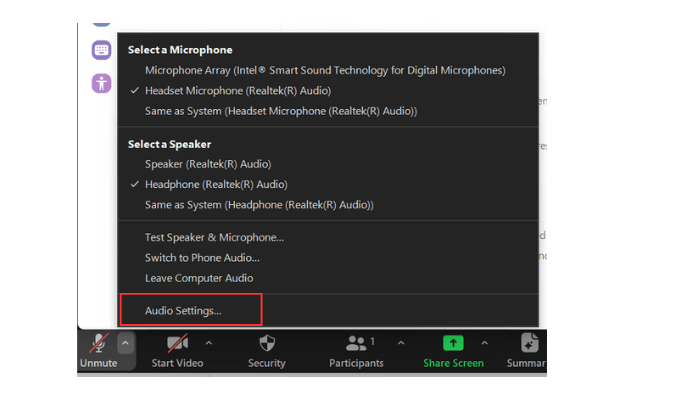
4. Adjust Audio Settings On Your Device
Your computer or phone has sound settings. You can change these to reduce echo.
Look for options like “Echo Cancellation” or “Noise Suppression.” Turn these on if available.
Also, check microphone sensitivity. Lower it if it is too high.
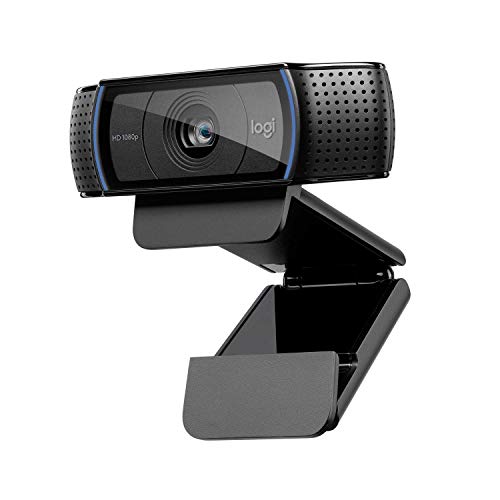
5. Use A Quality Microphone
Some microphones pick up sound better. Cheap or old microphones might cause echo more.
If you can, use a microphone made for calls or recordings. It will help reduce echo and improve sound quality.
6. Use Software To Reduce Echo
Some apps and programs can remove echo. They have built-in echo cancellation.
Examples include video call apps like Zoom or Skype. Check the settings and enable echo cancellation.
7. Change Your Room Setup
Echo happens when sound bounces off hard walls. Soft surfaces absorb sound and reduce echo.
Try these ideas:
- Use carpets or rugs on the floor.
- Put curtains on windows.
- Add cushions or soft furniture.
- Hang blankets or foam panels on walls.
These changes can help a lot. The room will sound better for calls and recordings.
8. Test Your Setup Before Important Calls
Before a meeting or recording, test your microphone and speakers. Speak and listen for echo.
If you hear echo, try the tips above. Fix problems before your call starts.
Credit: www.youtube.com
Quick Summary Table
| Problem | Solution |
|---|---|
| Speakers near microphone | Move speakers away or use headphones |
| High volume levels | Lower microphone and speaker volume |
| Hard room surfaces | Add soft materials like rugs or curtains |
| Audio settings off | Enable echo cancellation in settings |
| Low-quality microphone | Use a better microphone |
Final Thoughts
Microphone echo can ruin your sound. But it is easy to fix. Use headphones first. Keep speakers away. Lower volume. Change room setup. Check audio settings.
Small changes make a big difference. Your voice will sound clear and good. You can have better calls and recordings. No more echo to worry about.
Try these steps today. Listen carefully. Adjust as needed. You will enjoy better sound every time.
Frequently Asked Questions
What Causes Microphone Echo During Calls?
Echo happens when your mic picks up sound from speakers and sends it back.
How To Reduce Echo On A Computer Microphone?
Lower speaker volume and use headphones to stop sound from looping back.
Can Room Setup Affect Microphone Echo?
Yes, hard surfaces reflect sound and increase echo; soft materials help absorb it.
Does Microphone Quality Impact Echo Problems?
Better mics often reduce echo by focusing on your voice, not background noise.